Make Product Photos Do More Than Sit on the Product Page
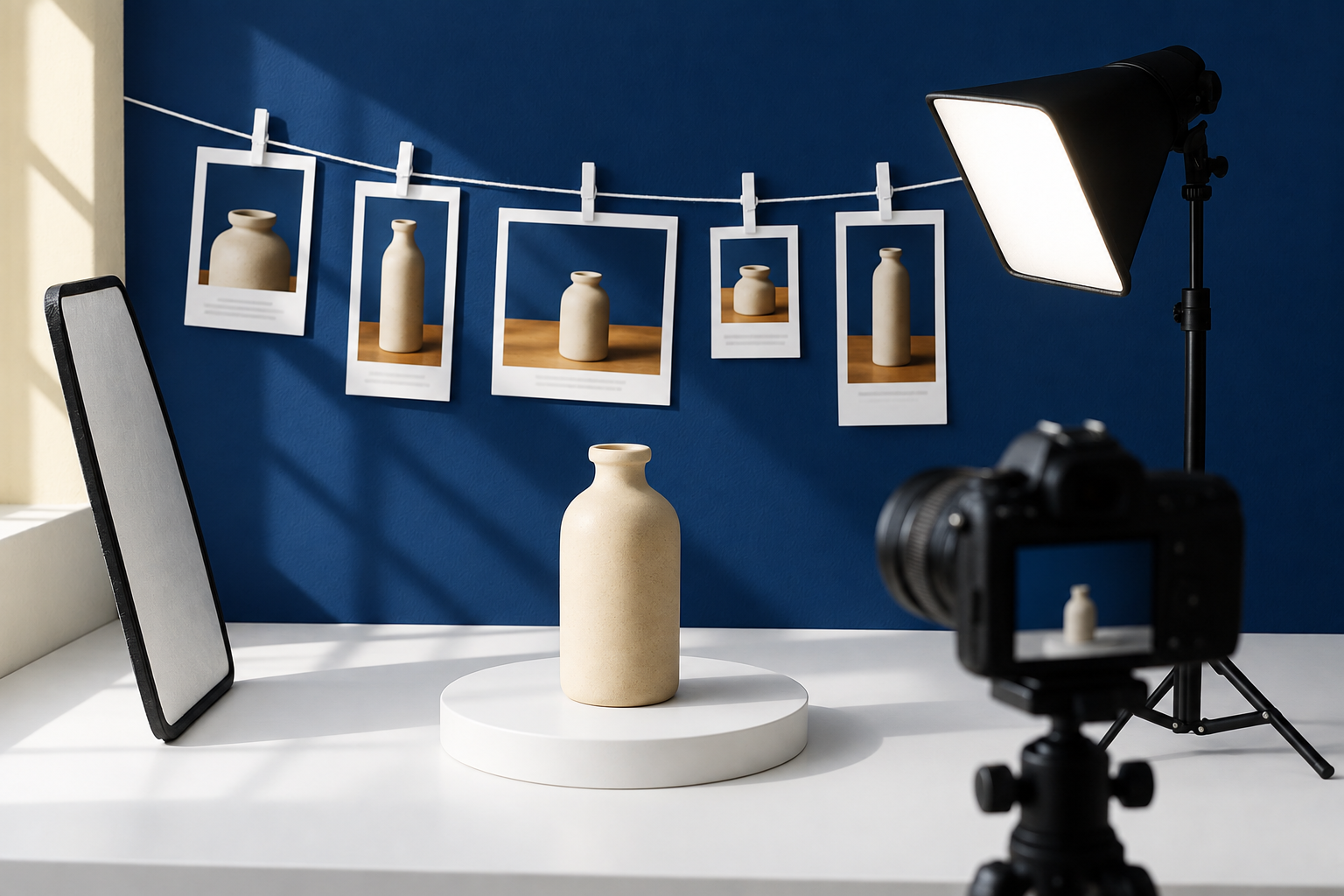
Most online stores do not need more photography. They need the photography they already paid for to do more than sit on a product page.
Quick answer
A single product shot can carry the listing, the ads, a month of social posts, the email header and the lifestyle scene.
Start from the photo you own rather than from a blank prompt. The real item is the most convincing thing you have.
Edit, blend and re-frame the shot into variations instead of commissioning a second shoot.
Keep the photo in the same place the copy gets written, so the caption describes what is actually in the picture.
A product shoot is one of the few marketing costs an online store pays up front and then underuses. The photographer delivers thirty frames, four go on the product page, and the rest sit in a folder. Meanwhile the same store is writing prompts into an AI image tool trying to invent something that looks nearly as good as the thing it already photographed.
That is the wrong way round. The most persuasive image of your product is a real picture of your product. The useful question is not how to generate more images. It is how many different jobs one honest shot can be made to do.
The Shot You Paid For Is Doing One Job Out of Five
Count the places a product image could appear and then count where yours actually appears.
The listing gallery, almost certainly. After that: the paid social creative, the organic post, the email banner, the category tile, the comparison graphic, the affiliate kit. Most stores fill the first and leave the rest to whatever was easiest that week, usually a stock image or nothing.
The gap is not ambition. Every one of those placements needs a different crop, background or amount of empty space for text, and producing them by hand means moving the file between an editor, a writing app and a scheduler.
Start With the Shot, Not With a Prompt
There is a reflex worth resisting. When a store needs a new visual, the instinct now is to describe one and have it generated.
Generated imagery has a real place, and the clearest one is when the product does not exist yet as a photograph. A launch page for an item still in prototyping can carry a photorealistic stand-in so the page ships on schedule and gets tested, then swap in the real shot when the shoot is done.
But when you do have the photograph, starting from a prompt throws away your only piece of genuine evidence. Shoppers are unusually good at spotting a product image that was never a product. The real shot, re-framed and re-lit, beats an invented one that has to be believed.
Tip
Before generating anything, open the folder from your last shoot and count the frames you never used. That number is usually the size of the problem.
Five Things One Product Shot Can Become
It helps to name the outputs, because "repurpose your photos" is advice nobody can act on.
Output | What changes about the shot | Where it goes |
|---|---|---|
Clean listing image | Background removed or simplified | Product page gallery |
Lifestyle scene | Product placed into a room or setting | Ads, category pages |
Social crop | Square or vertical, space left for text | Organic and paid social |
Variation set | Same product, different angle and mood | Testing, seasonal refresh |
Caption and description | Written from what is visible | Listing copy, posts, email |
Five outputs, one source file. The fifth surprises people, because it is writing rather than imagery, and it is most often written from a spec sheet instead of from the picture the customer is looking at.
Keep the Photo Where the Copy Gets Written
This is where the handling starts to matter more than the ideas, and where IdeoLab fits.
A product photo dropped onto the canvas becomes a card in the lab rather than a file in a folder. Its key visuals get tagged, and any text in the image is read, so the photo can be used two ways at once: as a reference for creating new images, and as a source the writing works from.
Edit Image takes that shot and transforms it from a written instruction, removing elements, swapping backgrounds, changing the lighting or the style, while keeping the rest recognisable. Blend Images combines two or more of your own images into one visual, so the product can be carried into a scene you also own. Both land in an Image Studio where the result can be reviewed and refined rather than accepted as delivered.
If you want to try this with one of your own product shots: https://ideolab.ai/TrialBuild
When a whole coordinated set is needed rather than one image, AI Photo Shoot runs in two steps: it builds a creative brief and six sample shots for you to review, and only produces the full gallery once you approve the direction or ask for a reshoot. The approval step is the point. You are choosing the direction before the volume gets made, which is the same order a real shoot follows.
Write the Caption From the Picture, Not the Spec Sheet
Because the photo is a card the writing can see, the copy can describe what is actually in frame.
That sounds small and it is not. Copy from a spec sheet lists attributes. Copy from the image talks about what the shopper is looking at: the size of it against the hand holding it, the finish under the light, what it sits next to. That is the difference between a description and a reason to buy.
It also keeps the words and the picture honest with each other. Google's product structured data documentation is the reference for what a listing should declare, and image SEO best practices covers how those images get found.
Put one shot through the whole set
Take a single product photo, turn it into a clean listing image, a lifestyle scene and a social crop, then write the caption from the picture. Start your free 7 day trial of IdeoLab →
The Catalogue You Already Maintain Is a Source Too
The same logic applies to the spreadsheet nobody thinks of as marketing material.
A product catalogue as a CSV or XLSX can be uploaded as a document card, with its tables extracted so the rows can be referenced directly: names, attributes, prices, categories. From there the writing can work through the catalogue systematically rather than one manual copy and paste at a time, producing per-product descriptions, comparison tables or batch social copy grounded in the actual data.
That changes which products get copy at all. Most stores ration good descriptions to the top sellers because writing them is slow, and the long tail stays thin. Working from the real rows is what makes the whole catalogue affordable to write, which is the same argument as the one for creation work generally.
Decide What Has to Stay Real
There is a boundary here that protects you, and it is worth setting before anyone gets carried away.
Editing a photo to remove a distraction, change a background or match a set is normal commercial practice. Editing it so the product looks like something it is not is a returns problem and a trust problem, and no amount of production speed pays for either. Colour, scale, texture and what is included in the box are the details customers check against reality when the parcel arrives.
The practical rule: generated and heavily edited imagery is for atmosphere and context. The photograph that shows what the buyer receives should stay a photograph.
You Are Sitting On More Marketing Than You Think
The shoot is already paid for. The catalogue is already maintained. The gap between what an online store has and what it publishes is almost never a shortage of material, and almost always the number of separate steps between the folder and the finished post.
Closing that gap does not take a bigger budget. It takes the photo, the copy and the outputs living in the same place, so one shot can become five things without becoming five projects.
Get Five Outputs From the Next Shoot Instead of One
If your product photography deserves more than a listing gallery, work from the shot rather than from a blank prompt. In IdeoLab, a product photo becomes a card in the lab, Edit Image and Blend Images turn it into the variations each placement needs, AI Photo Shoot builds a coordinated set after you approve the direction, and the captions get written from the picture rather than the spec sheet. What the customer actually receives still has to be shown honestly, and that call stays with you.
Start your free 7 day trial of IdeoLab →
Most people start on the trial, which is full Agency access for seven days. If you already know which plan fits, you can start on one directly. Starter is $39 a month with 2,500 credits for one person, and Agency is $99 a month with 10,000 credits for a team.
Frequently Asked Questions
How many product photos do I actually need per item?
Fewer than most stores assume, if each one is worked properly. One strong hero shot plus one detail shot will carry a listing, a set of social crops and an ad, once you can re-frame and re-background them. The count that matters is placements filled, not frames shot.
Is an edited product photo still honest?
It depends what was edited. Cleaning a background, matching lighting across a set or removing a distraction is ordinary. Changing the colour, the proportions or what appears to be included is not, because the customer checks those against the parcel.
When is a generated image the right choice?
When there is nothing to photograph yet. A product still in prototyping, a launch page that cannot wait for the shoot, or a background scene that no shopper will mistake for the product itself. Swap in the real photograph as soon as it exists.
Can this write the product descriptions as well?
Yes, and from two different sources. From the photo, so the copy describes what is visible, and from an uploaded catalogue file, so the specifications come from your actual rows rather than being retyped.
What still needs a person in this process?
The direction and the final check. AI Photo Shoot is built around that, showing a creative brief and six samples before the gallery. Deciding whether the result represents the product fairly is not work to hand over.
How is this different from a design tool?
Design tools go deeper on layout, typography and templates, and for a lot of visual work they are the right place to be. This is about the workflow around the asset: the source photo, the copy and the outputs staying connected, so one shot keeps earning after the first use. The same argument applied to written material is in reading customer reviews for the words that sell.